15. 自由运动的小方块设计与实现
15.1. 功能描述
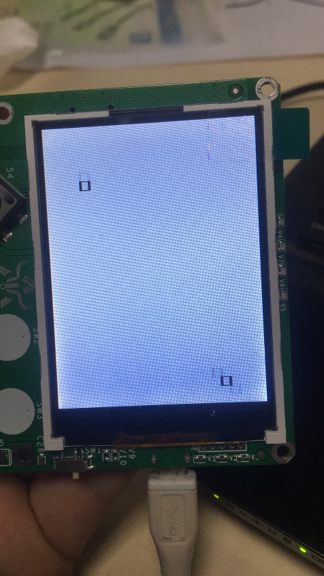
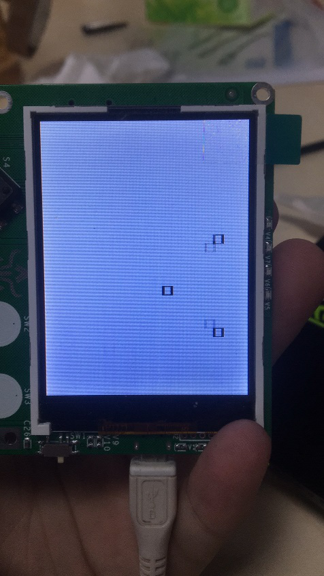
- 一个小方块在屏幕中以初始方向随机的运动,在到达边界时随机向一个方向反弹。并每隔10秒制造出一个新的方块。
15.2. 设计思路
- 方块的运动:擦除旧的方块,在它旁边画出一个新的方块,使人看上去觉得是方块在运动一样
- 触边反弹:记录方块的位置信息,在到达边界时改变方块运动方向
- 制造新方块:再次实例化一个对象,加入到移动程序里
15.3. 代码实现
导入库文件
from random import randint

from machine import Timer,Pin
import text
import time
import utime
import screen
定义类并初始化方块
class Block():
  def __init__(self,x,y):#初始化位置,随机赋值一个方向
        self.x=x
        self.y=y
        self.dirct=randint(0,7)
画一个方块
def rect1(self,x, y,x2, y2):#画出一个方块
      width = abs(x2 - x)
      height = abs(y2 - y)
      screen.drawline(x, y, x2, y, 3, 0x000000)
      screen.drawline(x2, y, x2, y2, 3, 0x000000)
      screen.drawline(x2, y2, x, y2, 3, 0x000000)
      screen.drawline(x, y2, x, y, 3, 0x000000)
      utime.sleep_ms(20)
清除旁边的一个方块,并在新的地方画出一个方块
def draw(self,x,y):#清除一个相邻的方块并在新的地方画出一个方块,以达到运动的效果
      screen.drawline(self.x, self.y, self.x-10, self.y, 3, 0xffffff)
      screen.drawline(self.x-10, self.y, self.x-10, self.y-10, 3, 0xffffff)
      screen.drawline(self.x-10, self.y-10, self.x, self.y-10, 3, 0xffffff)
      screen.drawline(self.x, self.y-10, self.x, self.y, 3, 0xffffff)
      self.x=self.x+x*10
      self.y=self.y+y*10
      self.rect1(self.x,self.y,self.x-10,self.y-10)
检查是否到达边界,如果是边界,则改变方向
def check(self):#确定是否达到边界,是的话从新随机一个符合要求的对应方向
      if ((self.x>230 or self.x<20)or(self.y>310 or self.y<20)):
        if self.x>230:
              self.dirct=randint(3,5)
        if self.x<20:
              mark=randint(0,2)
              if mark==0:
                self.dirct=7
              if mark==1:
                self.dirct=0
              if mark==2:
                self.dirct=1
        if self.y>310:
              self.dirct=randint(5,7)
        if self.y<20:
              self.dirct=randint(1,3)
        return True
移动方块,每次移动后需要检查是否到达边界。反弹代码在check函数中
def move(self):#移动方块,每次移动过后需要检查是否到达边界
      if self.dirct==0:
              self.draw(1,0)
              self.check()
      elif self.dirct==1:
              self.draw(1,1)
              self.check()
      elif self.dirct==2:
              self.draw(0,1)
              self.check()
      elif self.dirct==3:
              self.draw(-1,1)
              self.check()
      elif self.dirct==4:
              self.draw(0,-1)
              self.check()
      elif self.dirct==5:
              self.draw(-1,-1)
              self.check()
      elif self.dirct==6:
              self.draw(0,-1)
              self.check()
      elif self.dirct==7:
              self.draw(1,-1)
              self.check()
初始化Block类,并设置Timer
#实例化两个对象
block1=Block(120,160)
block2=Block(150,160)
#加入数组
block=[block1,block2]
def new(a):
  global block
  blockadd=Block(120,160)
  block.append(blockadd)


timer= Timer(-1)
timer.init(mode=Timer.PERIODIC, period=10000,callback=new)
while True:

  for i in range(len(block)):
        block[i].move()
  if keys.value()==0:#如果按下按键,则新实例化一个对象并加入数组
        blockadd=Block(120,160)
        block.append(blockadd)